
Processing scripts for Parameters
Overview
Processing scripts enable advanced logic integration within communication flows between managed devices and the CONTROL platform. These Python-based scripts implement business logic to transform parameter values before they are processed and stored by the platform.
Processing scripts execute primarily when the CONTROL platform receives a value from the configured parameter. However, they may also run during other operations and actions as detailed below.
Available Variables
When a processing script executes, the CONTROL platform automatically populates several variables with contextual information:
| Variable | Description |
|---|---|
value |
The value of the parameter being received or processed |
parameter_name |
The name of the parameter being received or processed |
parameter_id |
The unique ID of the parameter being received or processed |
variable_name |
The variable name of the parameter being received or processed |
operation |
The name of the current operation: add_object, del_object, or get_value |
index |
The instance number or index of the object being added |
The platform expects the transformed value to be assigned to a variable named result.
Basic Example
This example applies a mathematical formula to transform the received value:
result = (value - 10) / 10000
This script subtracts 10 from the received parameter value, then divides the result by 10,000. The CONTROL platform will use the value stored in result instead of the original received value.
Execution Context
Processing scripts execute in multiple scenarios:
- When the CONTROL platform receives a parameter value from a managed device
- After creating or deleting objects on managed devices
- During operations that modify other parameters and settings
In these contexts, scripts can modify additional parameters, adjust device settings, and trigger management operations as described in the Special Objects for Scripts section.
Python Operators
Processing scripts support standard Python arithmetic operators:
| Operator | Name | Description | Example |
|---|---|---|---|
+ |
Addition | Adds values on either side of the operator | a + b = 30 |
- |
Subtraction | Subtracts right-hand operand from left-hand operand | a - b = -10 |
* |
Multiplication | Multiplies values on either side of the operator | a * b = 200 |
/ |
Division | Divides left-hand operand by right-hand operand | b / a = 2 |
% |
Modulus | Divides left-hand operand by right-hand operand and returns remainder | b % a = 0 |
** |
Exponent | Performs exponential (power) calculation | a**2 = 100 |
// |
Floor Division | Division where the result is the quotient with digits after the decimal point removed. If one operand is negative, the result is floored (rounded toward negative infinity) | 9//2 = 4, 9.0//2.0 = 4.0, -11//3 = -4, -11.0//3 = -4.0 |
Example variable assignments:
a = 10
b = 20
Configuration
Processing scripts are configured within the Parameter configuration screen. Access this screen by following these simple steps.
Script Configuration Location
On the Parameter configuration screen, locate the script configuration section under Advanced settings:
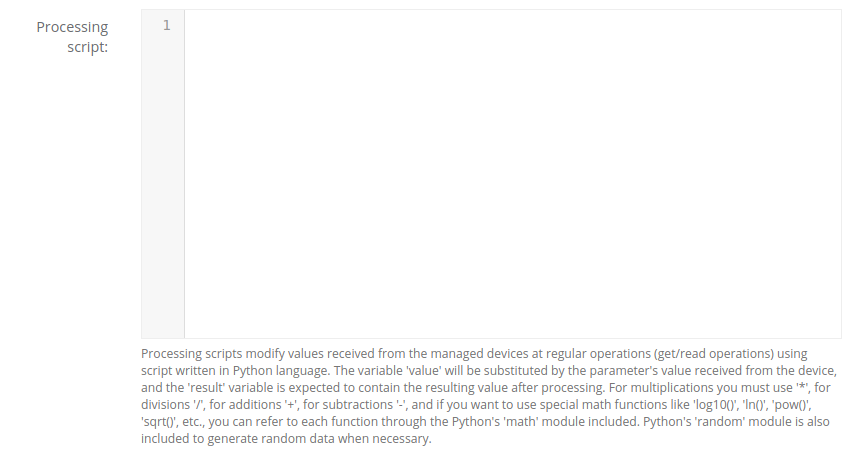
Included Python Modules
The script processing environment includes the following Python modules by default:
math Module
Provides mathematical functions for advanced calculations.
Examples:
result = math.log10(value)  # Calculate base-10 logarithm of 'value'

result = math.sqrt(value)   # Calculate the square root of 'value'

result = math.acos(value)   # Calculate the arc cosine of 'value' in radians

result = value * math.pi    # Multiply 'value' by the mathematical pi constant
Reference: https://docs.python.org/3/library/math.html
random Module
Generates pseudo-random numbers.
Example:
result = value + random.randint(1, 10) # Add a random number between 1 and 10 to 'value'
Reference: https://docs.python.org/3/library/random.html
json Module
Provides JSON encoding and decoding capabilities.
Example:
result = json.loads(value)['bytes'] # Parse JSON string and extract the 'bytes' element
Reference: https://docs.python.org/3/library/json.html
Advanced Capabilities
Special Objects and Operations
The script execution context includes special objects that allow you to:
- Modify attributes of managed devices
- Update device settings
- Perform related management actions and operations
For detailed information about special objects and usage examples, see the Special Objects for Scripts section.
Special Functions
| Function | Description | Parameters |
|---|---|---|
detect_network_entity_info |
Retrieves network entity information for a device and optionally extends the current parameter value | context: dict, extend: bool = False, device_headers: dict or None = None, current_val: str = None, old_val: str = None |
Visual Workflow Designer
In certain environments, a visual workflow designer is available to build scripts using a graphical interface.
Disabling Visual Designer Transformation
To prevent the visual workflow designer from transforming a script, add this comment as the first line:
# _NO_VWD_
No comments to display
No comments to display