
Metric collection for Parameters
Overview
Metric collection allows you to store historical information for Parameter values received from managed devices. When enabled, CONTROL automatically captures and stores data points over time, enabling trend analysis and historical reporting.
Enabling Metric Collection
To activate metric collection for a Parameter:
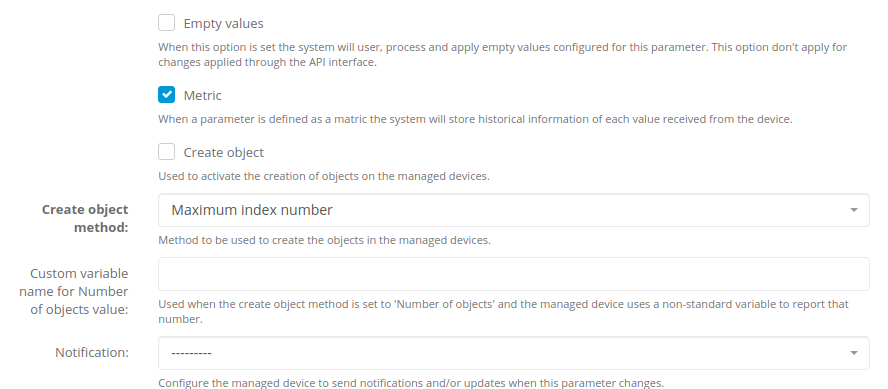
Note: Metric collection is primarily designed for Parameters that return numeric values. For non-numeric Parameters, see the Non-numeric Parameter Metrics section below.
Metric Types
CONTROL supports three types of metrics for Parameters: Absolute (default), Counter, and Delta. Each type determines how received values are processed and stored.
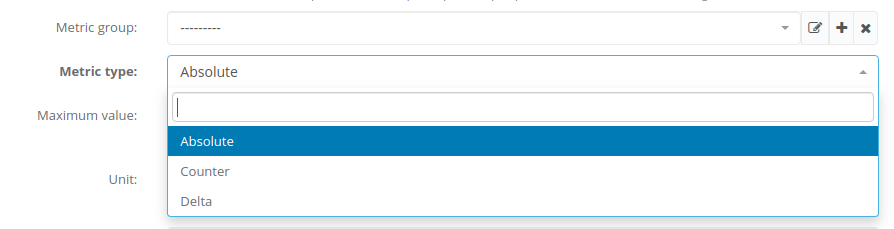
Absolute Metrics
This metric type stores the exact value received from the device after applying:
- Unit conversions (when configured)
- Processing scripts (when configured)
Use this type when you need to track the actual reported values over time (e.g., temperature, voltage, signal strength).
Counter Metrics
This metric type stores the rate of change between consecutive values. The calculation is:
stored_value = (current_value - previous_value) / time_elapsed
The calculation is performed after applying:
- Unit conversions (when configured)
- Processing scripts (when configured)
Use this type for continuously incrementing counters where you want to track the rate (e.g., bytes per second, requests per minute).
Delta Metrics
This metric type stores the difference between consecutive values. The calculation is:
stored_value = current_value - previous_value
The calculation is performed after applying:
- Unit conversions (when configured)
- Processing scripts (when configured)
Use this type when you need to track the absolute change between readings (e.g., change in disk usage, change in user count).
Visualization of Parameter Metrics
TBC
Non-numeric Parameter Metrics
TBC
No comments to display
No comments to display