
Configuring STUN (UDP-based connection request)
Overview
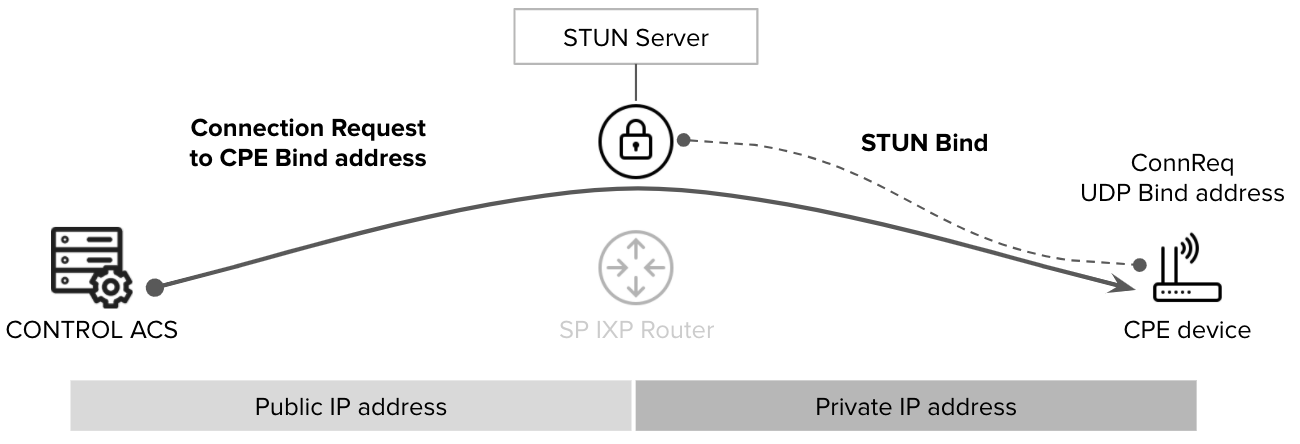
STUN (Session Traversal Utilities for NAT) is a TR-069 connection-request helper protocol that enables the ACS (Auto Configuration Server) to reach CPE (Customer Premises Equipment) devices that cannot be accessed via direct HTTP requests. STUN is typically required when the CPE is located behind a firewall or a NAT (Network Address Translation) process.
Configuration Requirements
To enable STUN functionality, both the CONTROL ACS platform and the CPE must be properly configured.
CPE Configuration
Configuring STUN on the CPE is straightforward and requires only two parameters:
- STUN Server FQDN: The Fully Qualified Domain Name of the STUN server
- Port: The UDP port number for STUN communication
Development Environment Settings
For testing and development purposes, use the following configuration:
STUN Server: control-stun-dev.zequenze.com
Port: 3478
CONTROL ACS Configuration
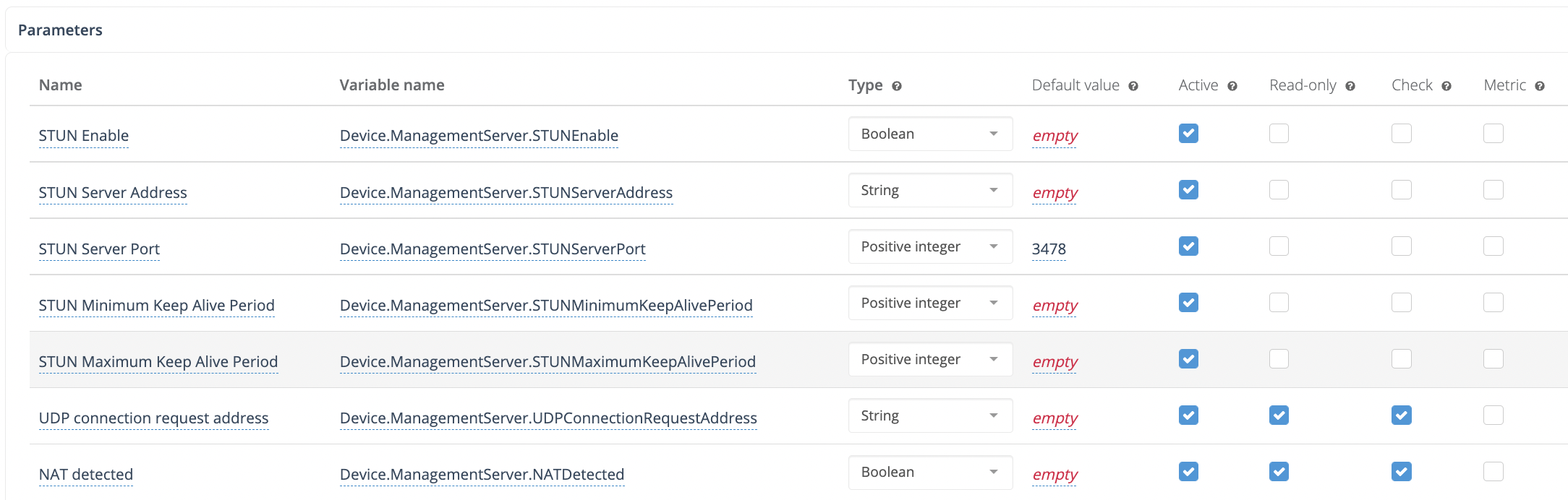
On the CONTROL ACS platform, STUN-related variables must be added to the Device Profile. A typical configuration example:
How STUN Connection Requests Work
Once STUN is configured on both the ACS and CPE:
- The CPE establishes a UDP binding with the STUN server
- The CPE reports this UDP binding address to the ACS using the TR-181 parameter:
Device.ManagementServer.UDPConnectionRequestAddress - The ACS uses this reported address for all subsequent connection-request procedures
This mechanism allows the ACS to communicate with CPE devices even when they are not directly accessible via traditional HTTP connection requests.
No comments to display
No comments to display