
Replica Process
Overview
The Replica Process enables you to move data from your models to various data destinations. GATE supports two distinct replication types, each designed for specific use cases.
Replication Types
Regular Replication
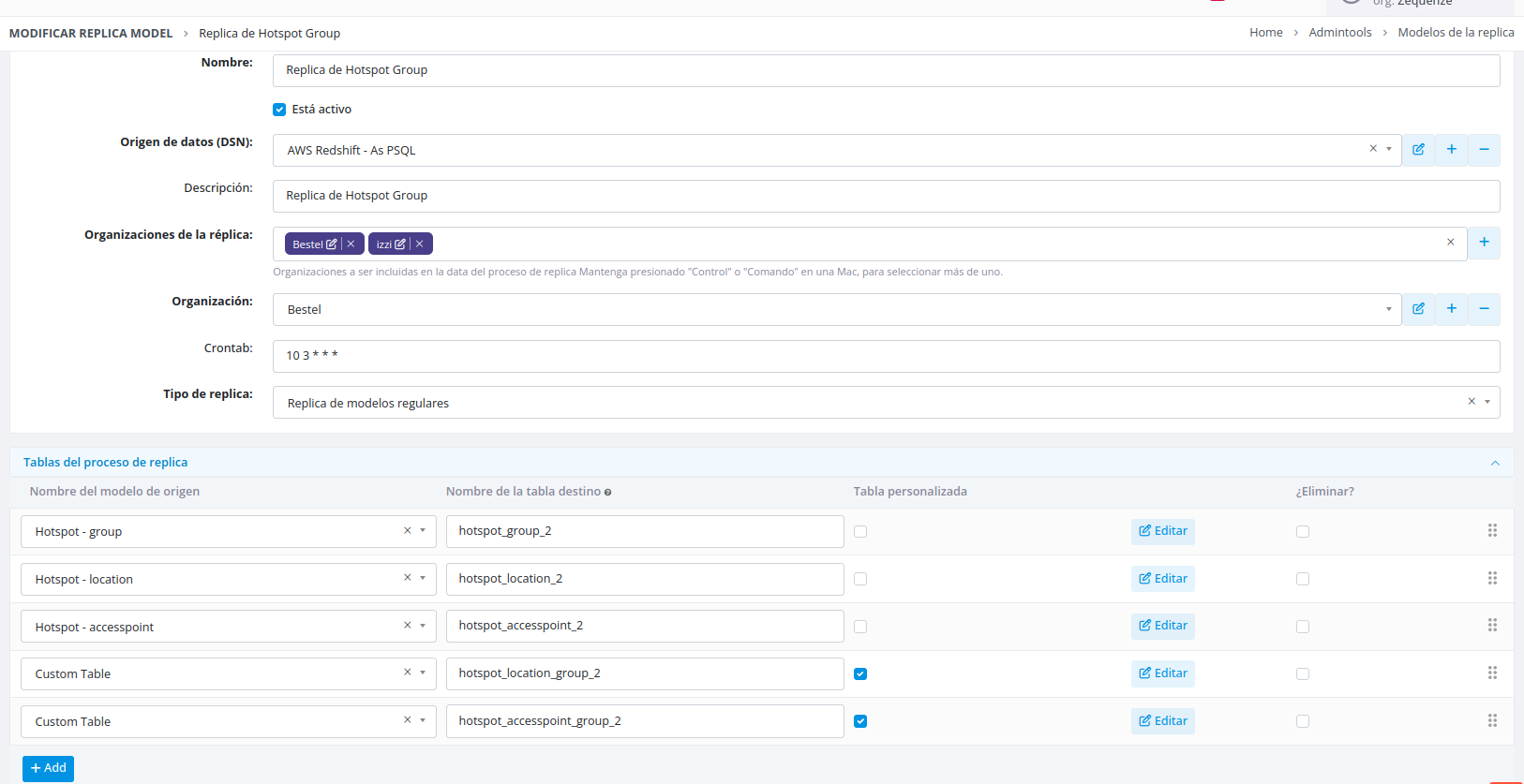
Regular replicas perform a complete data extraction and load operation:
- Extracts all information from the source table or model
- Clears all existing data in the destination table
- Inserts the complete dataset into the destination
This type is ideal for full data refreshes where the destination should mirror the source exactly.
Transactional Replication
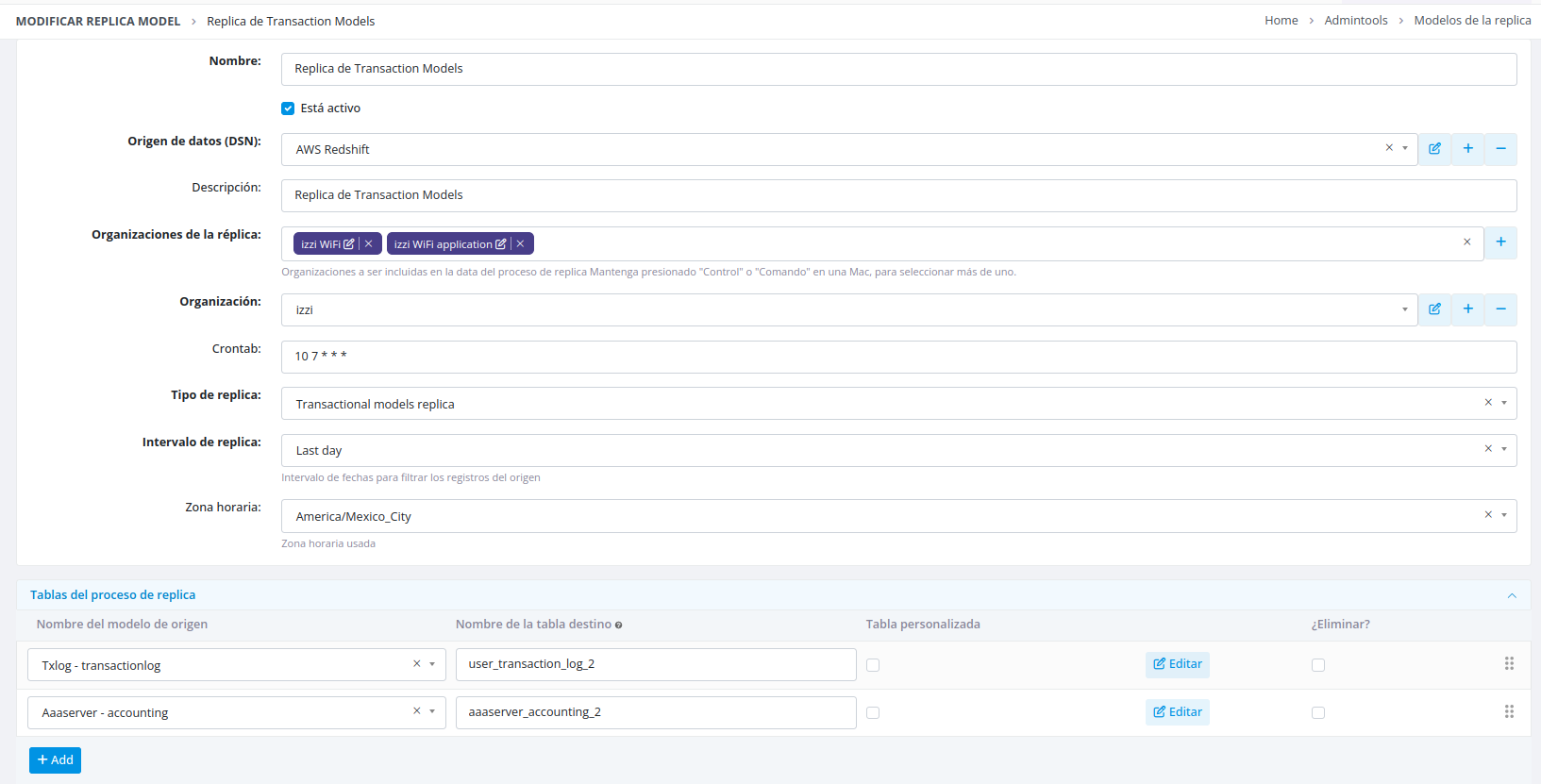
Transactional replicas perform incremental data synchronization:
- Extracts data from a specific time period
- Replicates only records corresponding to that period
- Validates and prevents duplicate records
- Preserves existing data in the destination table (unless a cleanup policy is configured)
Scheduling and Time Intervals:
You can configure a crontab schedule that serves two purposes:
- Defines when the replica executes
- Determines the time interval for record selection
Custom Time Ranges:
To extract records from a previous interval regardless of the current time, specify a relative time period such as "Last day". This configuration ensures the replica always searches for data from the day before the current execution date.
Configuration Steps
Follow these steps to configure a replication process:
- Create the data destination – Define where your replicated data will be stored
- Configure the main process – Specify replica type, intervals, crontab schedule, and other parameters
- Create tables – Select which tables you want to migrate in the process
- Define fields – Choose fields to migrate from each table and apply any necessary transformations
Data Destinations
GATE currently supports three destination types for replication processes:
PostgreSQL
Requires complete connection information to establish a database connection. Provide all necessary credentials and connection parameters.
Amazon S3
- Currently available for Zequenze's S3 only
- Specify file delimiters for the output files
- Data is exported in CSV format
Amazon Redshift
- Requires complete connection information to establish a database connection
- Uses the PostgreSQL connector for basic operations
- Leverages Redshift-specific operations including COPY commands and S3 integrations for optimal performance
Creating Tables
Standard Model Tables
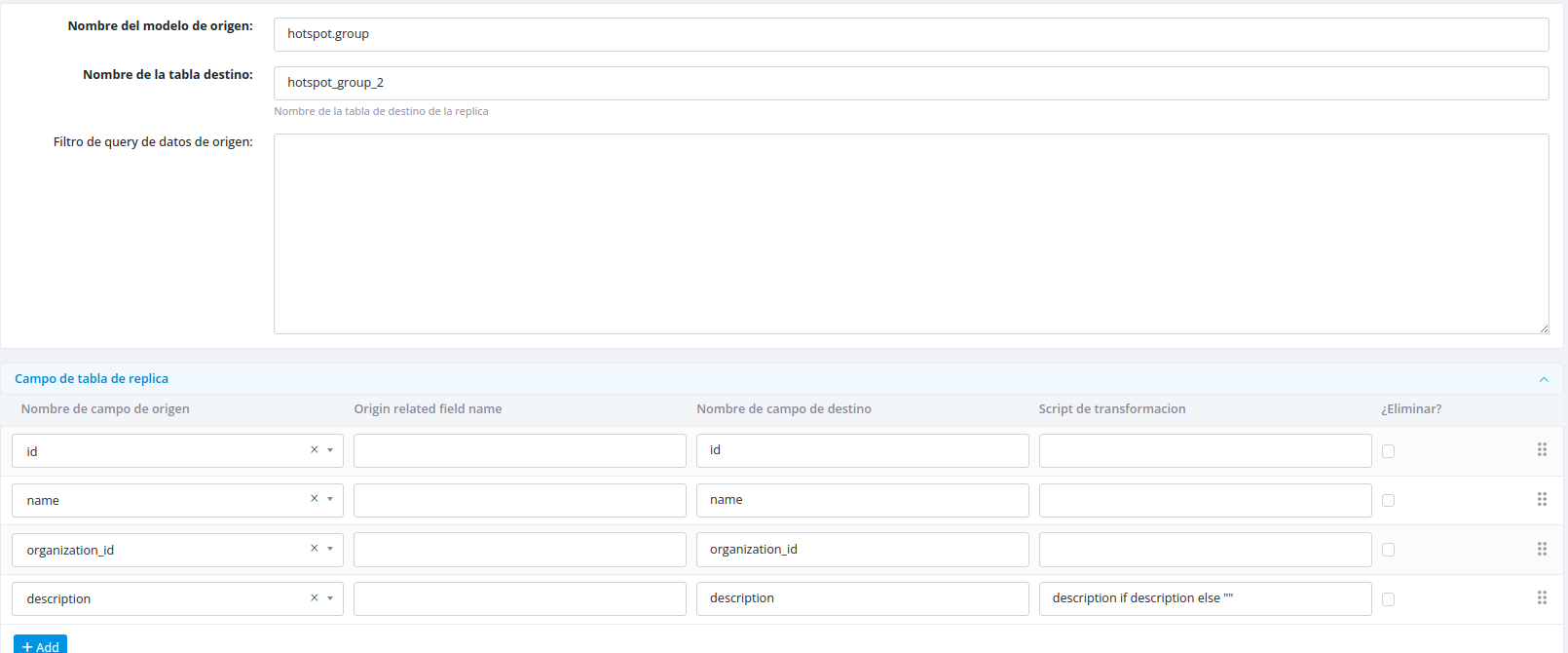
When creating a table from an existing model, specify the following:
- Source model – The model to replicate from
- Destination table name – The target table name in the destination
- Filter condition (optional) – Condition to filter which records to include
- Fields and transformations – Select fields and define any transformation scripts
Custom Tables
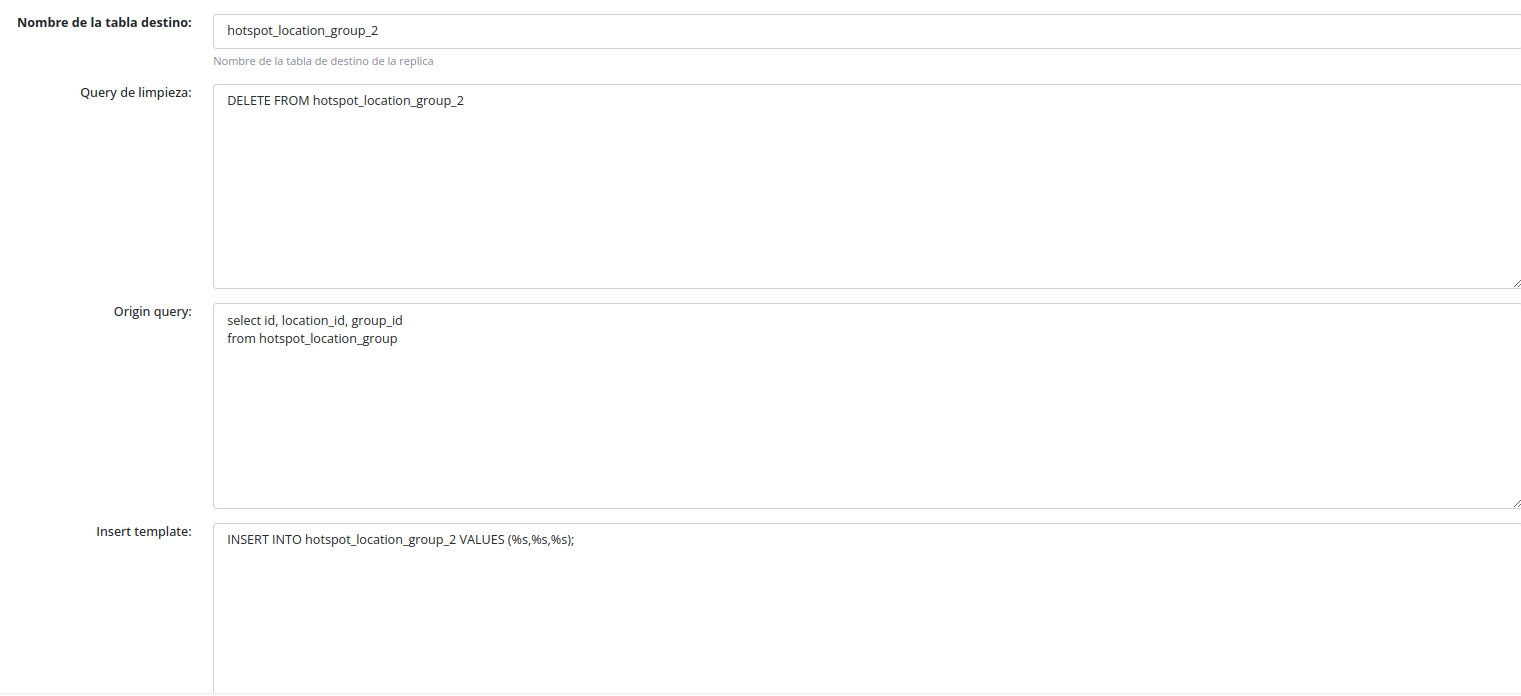
If your desired table doesn't exist in your models, you can create a custom table:
- Select the custom table option
- Provide the SQL queries to be executed
Configuring Fields
Field Selection and Transformation
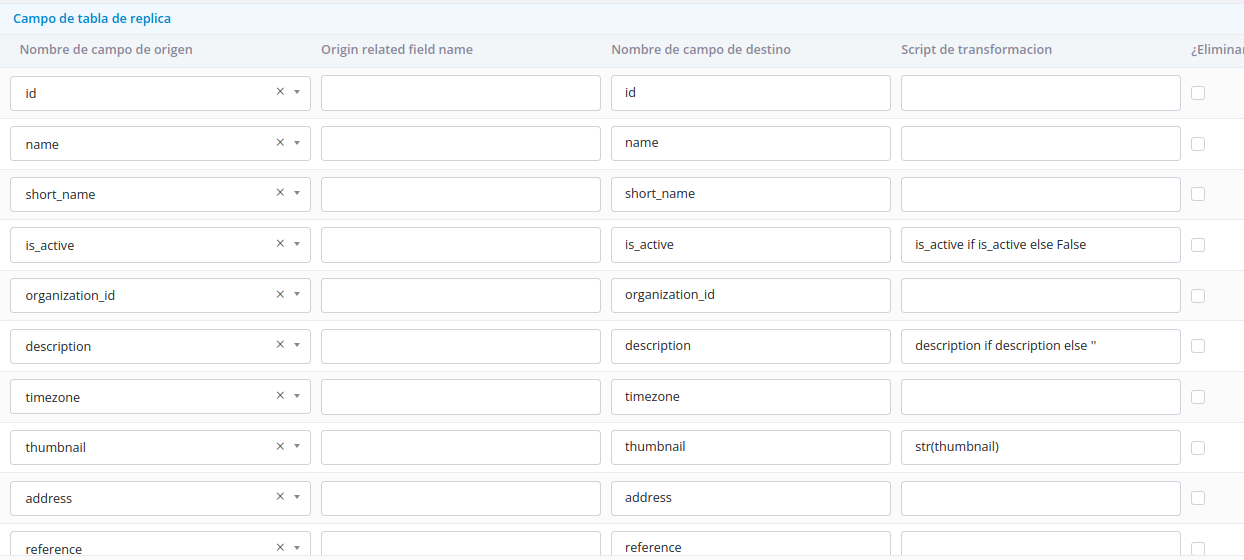
Fields can be selected from a dropdown list containing all available fields from the source table. Apply transformations by referencing the field name as a variable in your transformation script.
Accessing Related Model Fields
To include fields from related models connected via foreign keys:
- Select the "Select related" option
- Specify the path to access the related field
- Define the destination field name
Transformation Scripts
Transformation scripts allow you to modify field values using Python code before replication.
Standard Model Fields
For fields from the model being migrated:
- Use the model's field name as the variable name
- Apply transformations using Python code
Example:
Related Model Fields
For fields from related models using "Select related":

Advanced Features
Execute on Custom Time
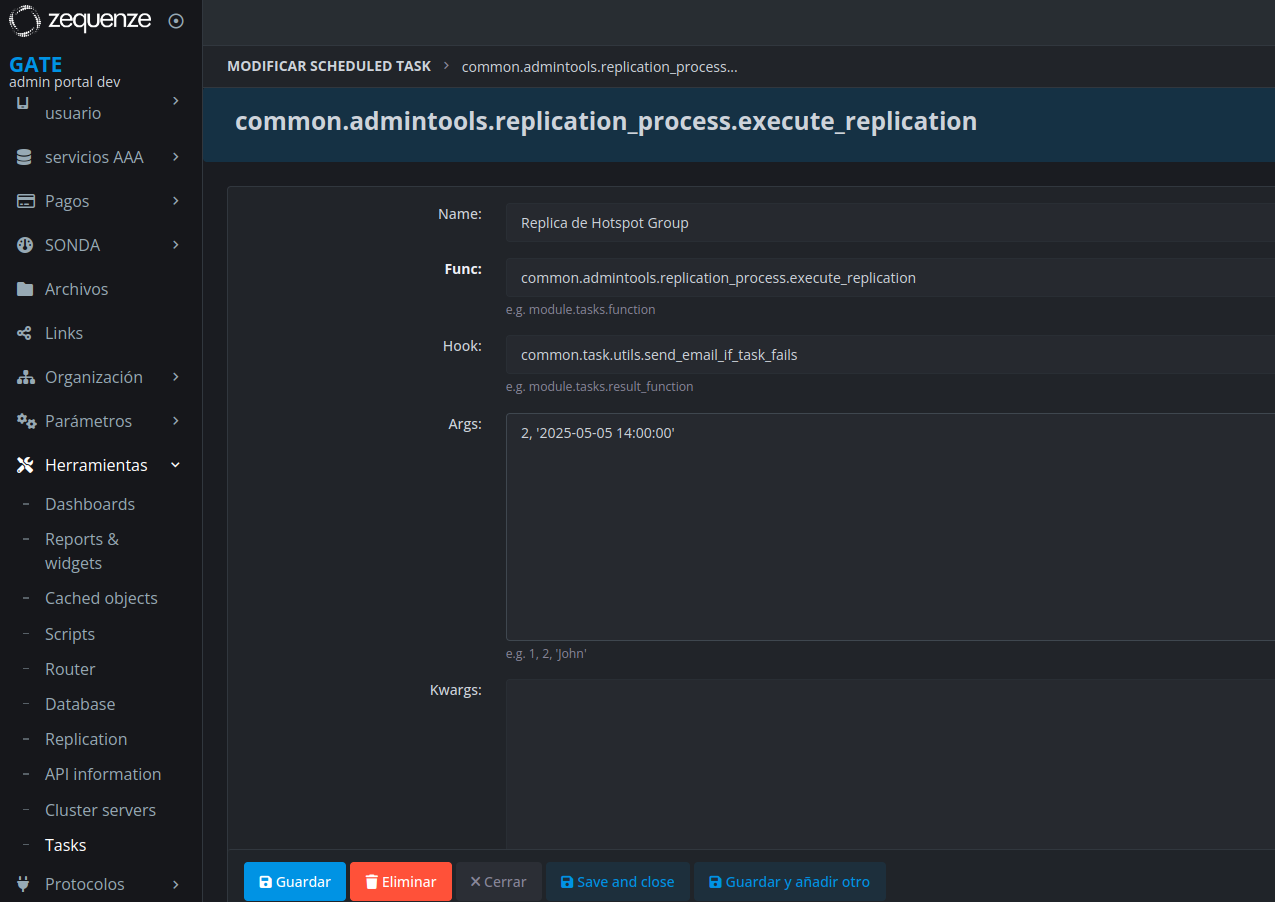
You can override the execution time by adding a second parameter to the task's "args" setting. This parameter should contain the desired date and time of execution, which will replace the current date during processing.
No comments to display
No comments to display