
Flow
Overview
Flows enable you to coordinate the execution of multiple steps across several elements. A step can be:
- A task execution
- A common tool (such as sleep)
- Another flow execution (referred to as a child flow)
Schedule
You can configure a specific schedule for your flow. When scheduled, the flow executes automatically on the specified days at the specified time.
Execution Mode
Serial
In Serial mode, the flow executes all steps for a single element before moving to the next element. This ensures that each element completes its entire workflow sequentially.
Parallel
In Parallel mode, the flow executes one step across all elements before proceeding to the next step. This allows for simultaneous execution across multiple elements.
Processing Script
The Processing Script allows you to sort and filter the elements that will be used in the flow execution as you wish.
Example
sort_function = lambda x: 1 if x['context']['patroni_leader'] == 'master' else 0
order_flow_elements(elements, sort_function, reverse=False)
This code sorts elements from DESC to ASC based on whether they are "master" or not.
Available Variables and Functions
- elements: Contains all elements that match the profile, groups, and filters
- order_flow_elements: Sorts elements based on specified criteria (you can use element context)
- filter_flow_elements: Filters elements based on specified criteria (you can use element context)
Execution Script
The Execution Script defines which steps will be executed when the flow runs. See Visual Script Editing to learn how to use the visual view.
Special Variables
- elements: The list of elements after the processing script has been applied
- current: The number of the element currently being executed
- first: The number of the element that will be executed first
- last: The number of the element that will be executed last
Custom Steps
- Filter elements (filter_flow_elements): Filters elements and returns a list containing only the elements that match the filter criteria
Execution Examples
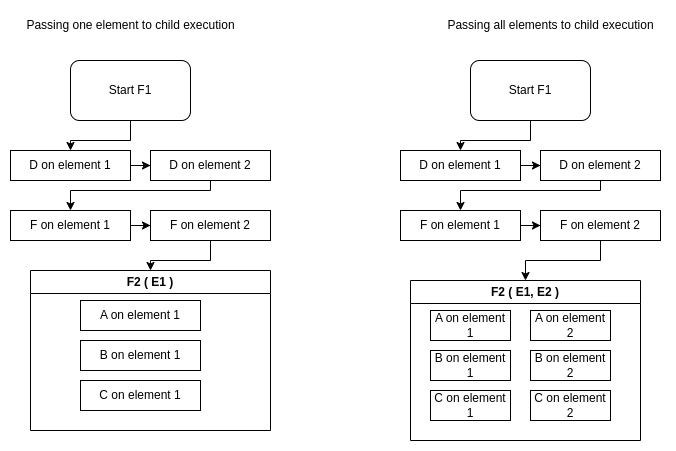
You can combine multiple flows of different execution modes (Serial and Parallel) to achieve more complex logic. When defining a flow execution script, you can pass specific elements to each child flow execution.
Example Scenario
Given 2 elements (E1, E2), 2 flows (F1 & F2), and 5 tasks (A, B, C, D, F):
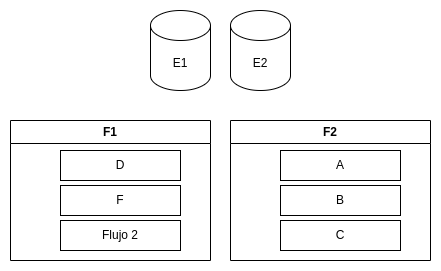
Parent Serial - Child Serial
What happens when F1 is Serial and F2 is Serial?
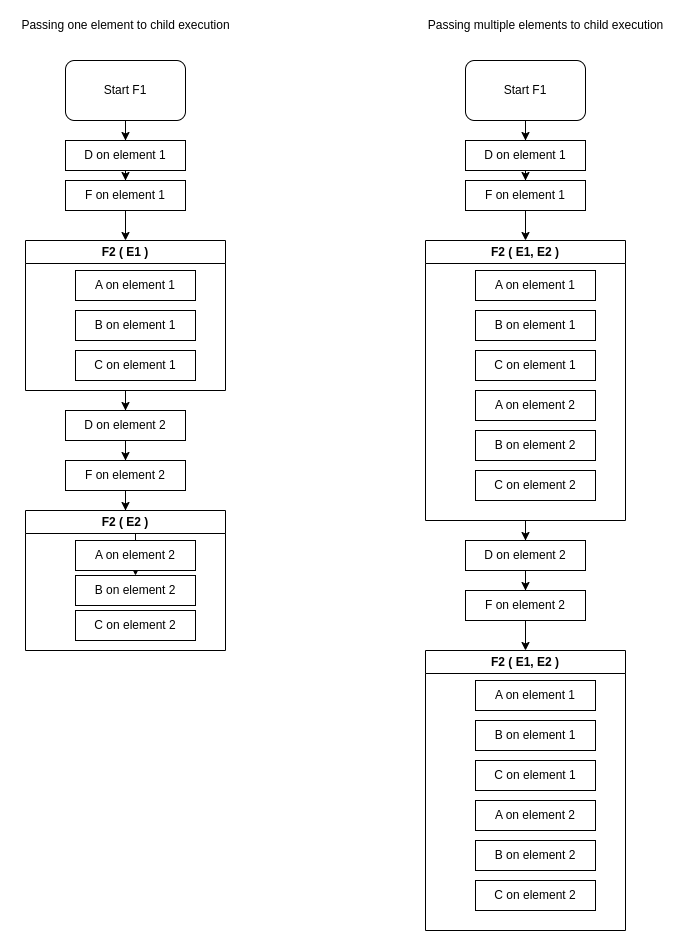
Parent Serial - Child Parallel
What happens when F1 is Serial and F2 is Parallel?
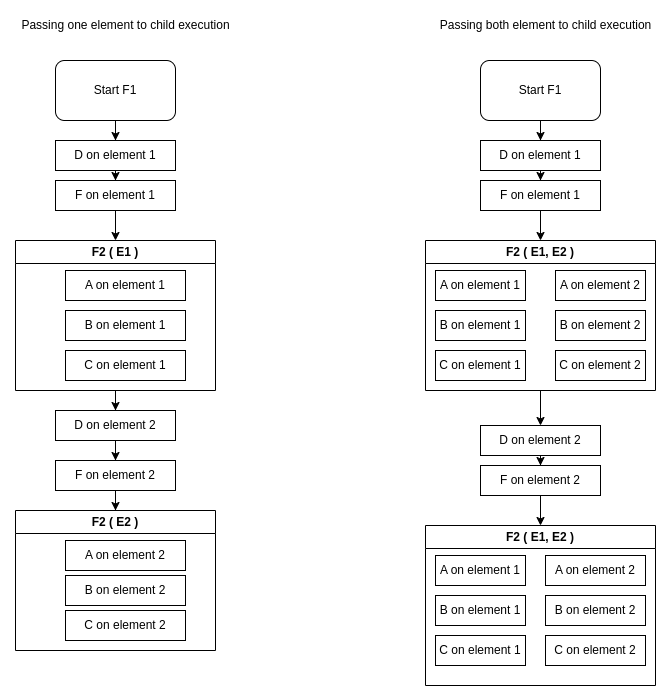
Parent Parallel - Child Serial
What happens when F1 is Parallel and F2 is Serial?
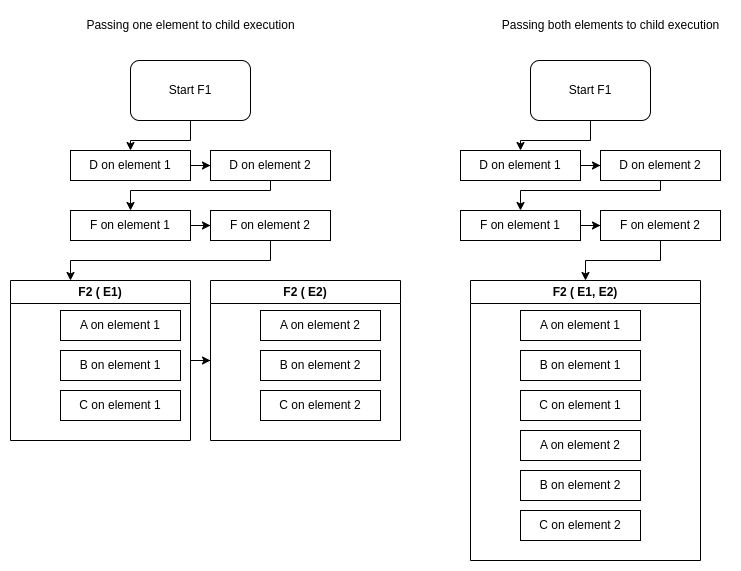
Parent Parallel - Child Parallel
What happens when F1 is Parallel and F2 is Parallel?
No comments to display
No comments to display