
Notifications
Introduction
FLUX allows you to configure flows that send notifications containing data from previous tasks. By creating specialized notification tasks, you can automatically deliver email notifications to any recipient with customized content.
Overview
Notification functionality in FLUX enables you to:
- Build multi-task flows with integrated notification capabilities
- Send email notifications with data from any previous task in the flow
- Customize recipients, subjects, and email body content
- Access context variables and task results dynamically
Configuration
Setting Up a Notification Task
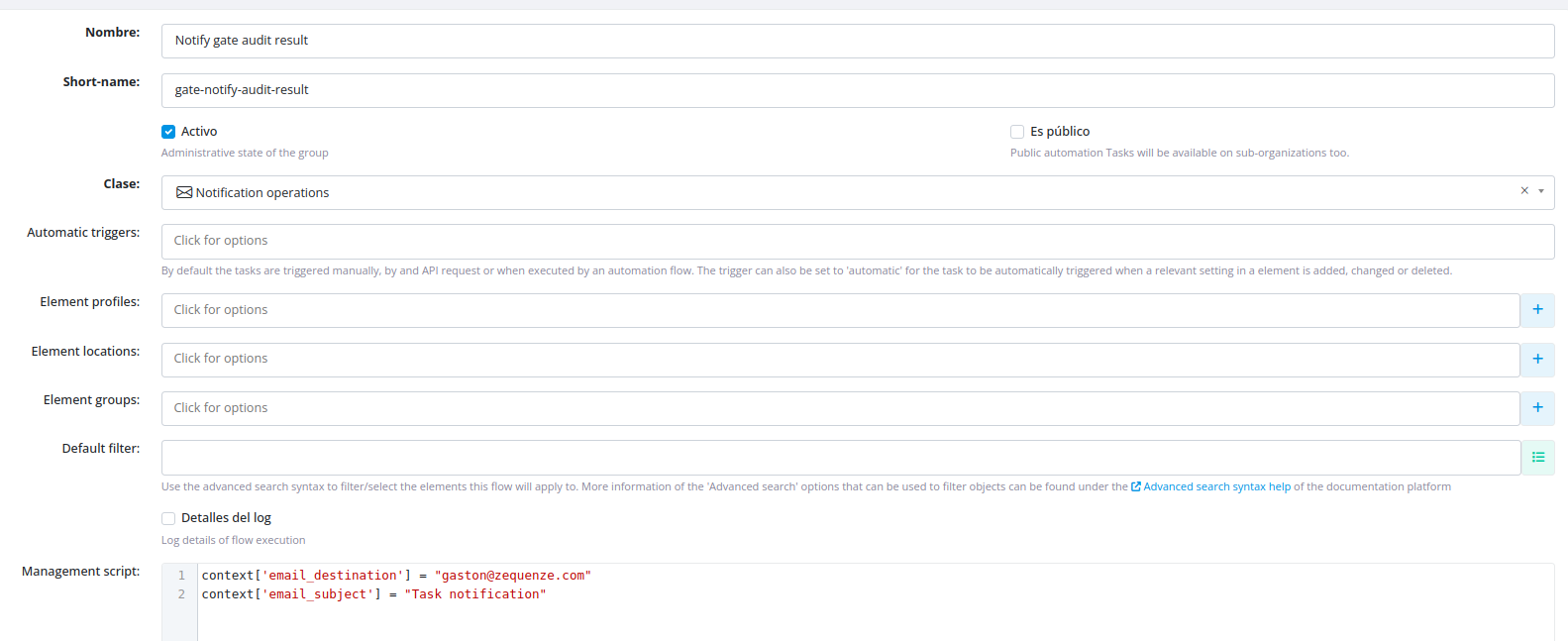
- Create a task with the "Notification operations" class within your flow
- Configure the notification parameters in the management script:
- Recipient: Specify the email address(es) to receive the notification
- Subject: Define the email subject line
Creating the Email Template
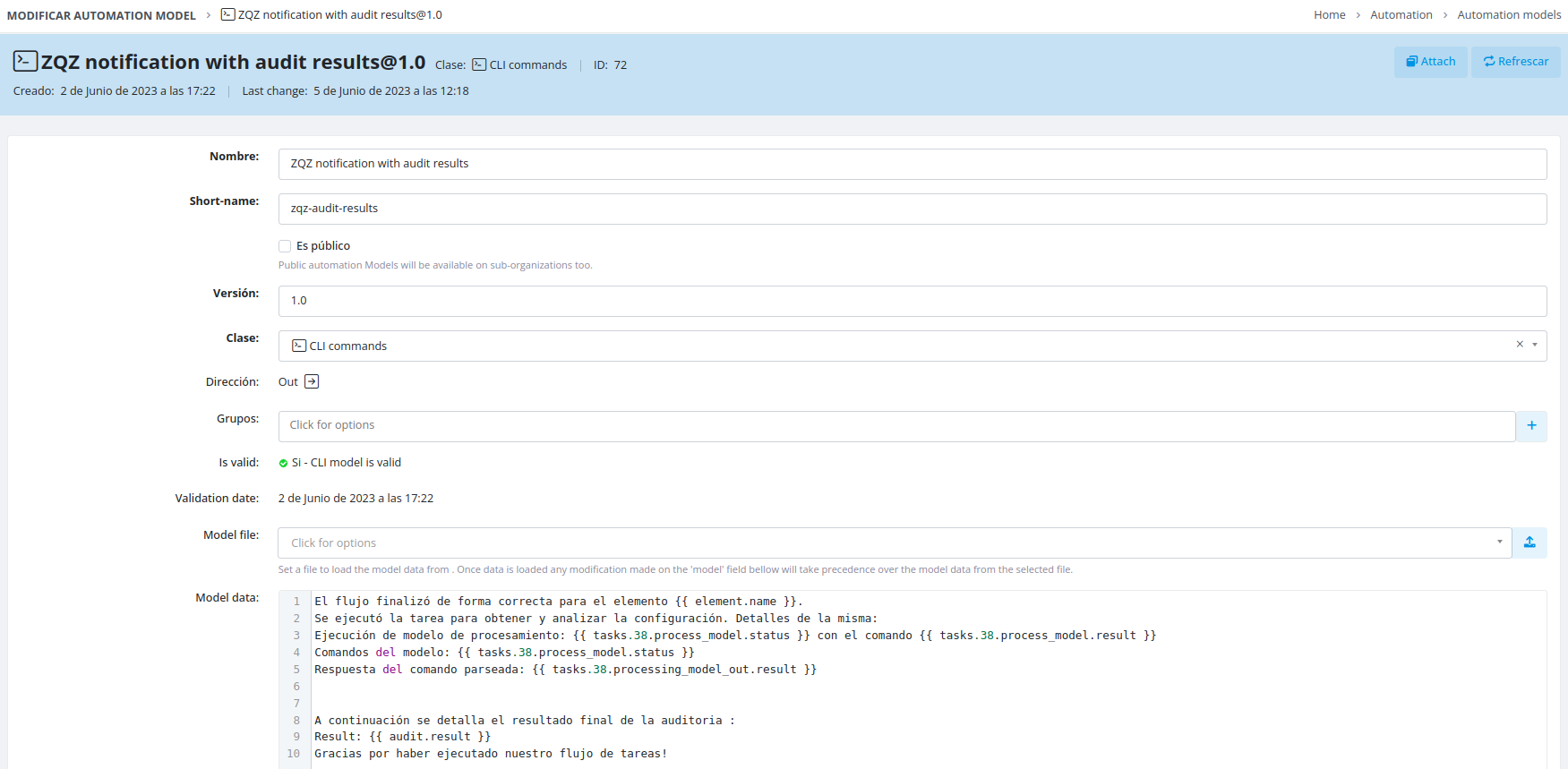
Create a dedicated model for your email that defines the body content. Within this model, you can reference:
- Variables from any task in the flow
- Task execution results
- Context variables available at the time of notification execution
Accessing Task Variables
Variable Syntax
To reference variables from other tasks in your flow, use the following syntax:
tasks.{id}.{method}.{result|status}
Available Methods
You can access data from these task methods:
-
management_script -
process_model -
model_commands -
processing_model_out -
processing_script_out -
element_data_mapped
Context Variables
Context variables are accessible at the moment the notification task executes, allowing you to include real-time flow information in your notifications.
Example
View a live flow example demonstrating notification configuration:
No comments to display
No comments to display