
Automation tasks
Overview
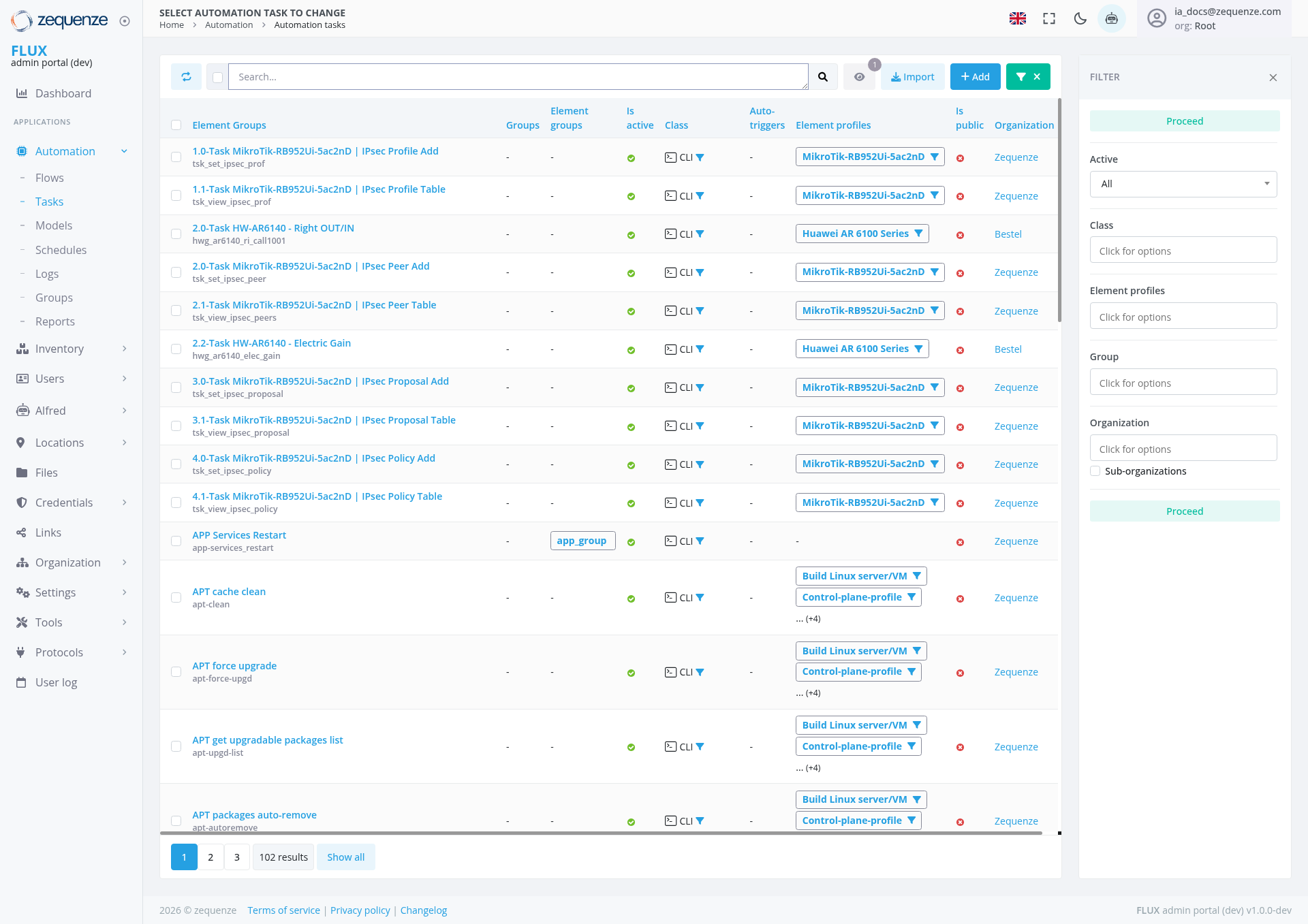
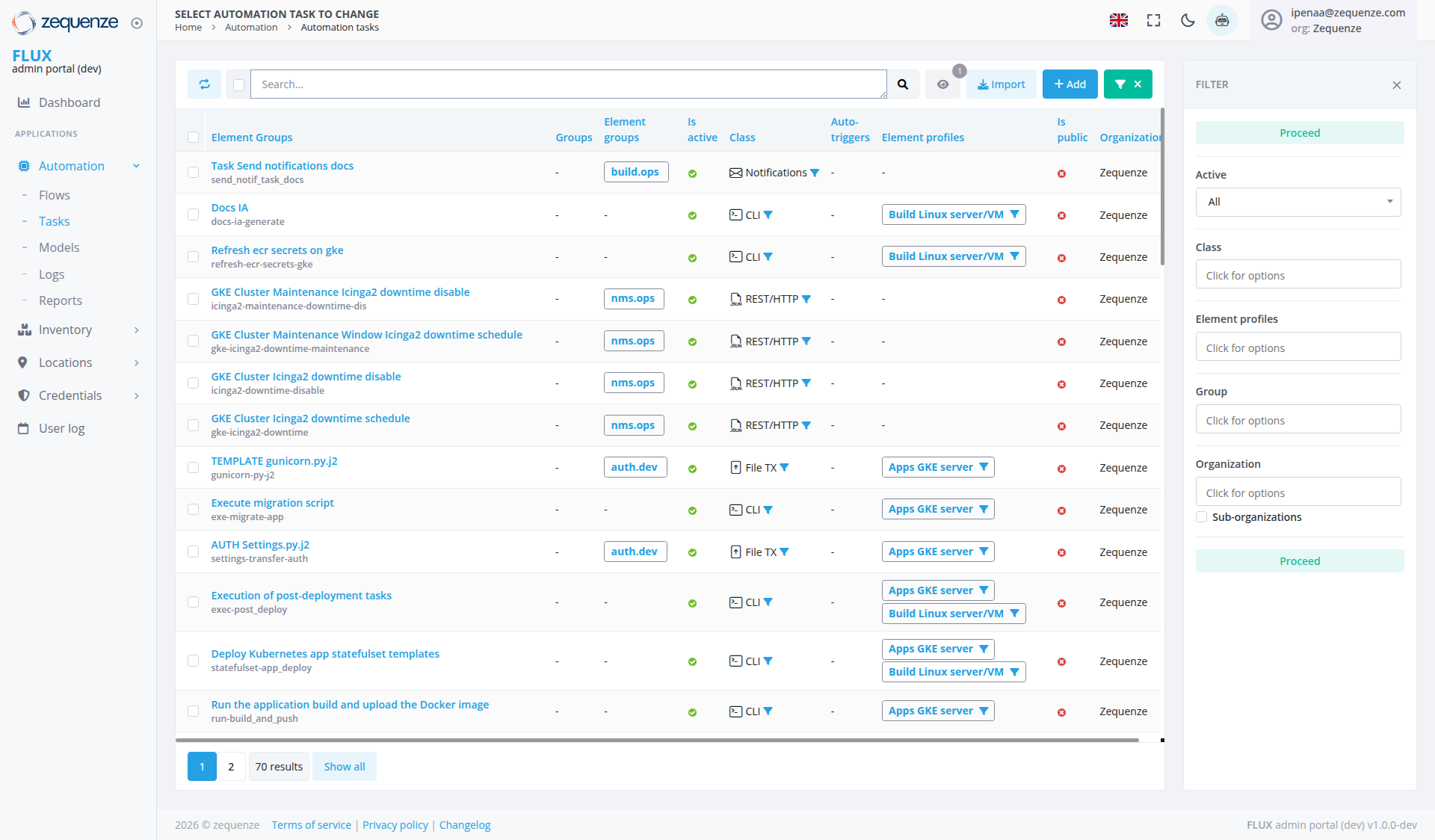
The Automation Tasks page in the Zequenze ControlCONTROL Portal provides a comprehensive interface for managing and monitoring automated tasks across your network infrastructure. This page displays a detailed list of all automation tasks including MikroTik router configurations, Huawei devicedocumentation management, GKE cluster maintenance, Kubernetes deployments, and APTDocker packageimage operations.builds.
Key Features
- Task Management Dashboard: Centralized view of all automation tasks with real-time status monitoring
-
Multi-Device Support: Handles various device types
including MikroTik routersandHuaweiinfrastructureequipmentcomponents -
Profile-Based Configuration: Tasks are organized by
deviceelement profiles for efficient management - Bulk Operations: Import and add multiple tasks simultaneously
- Advanced Filtering: Filter tasks by status, organization, class, and element profiles
- Real-time Status Tracking: Visual indicators show task execution status and health
UI Elements
Header Section
- Search Bar: Located at the top for quick task filtering and discovery
-
Action Buttons:
- Refresh Icon: Circular refresh button on the far left for reloading the task list
- Visibility Icon: Eye icon for toggling task visibility options
Main Task Table
The table displays the following columns:
- Element Groups: Shows task categorization and grouping
-
Element Groups:
OrganizationalPrimarygroupingtaskof related tasksorganization - Element groups: Secondary grouping level
-
Is
Deviceactive: Indicates if the tasktargetsisacurrentlyspecificactivedevice(green checkmarks visible) -
Class: Task classification (CLI,
etc.)Notifications, REST/HTTP, File TX) -
Auto. FiltersAuto-triggers: Automatedfilteringtrigger rules applied -
Element profiles: Associated
deviceprofiles (MikroTik,BuildHuawei,Linux server/VM, Apps GKE server, etc.) - Is public: Visibility status of the task (red icons visible for private tasks)
-
Organization: Organization assignment (
Zequenze, Bestel, etc.)Zequenze) - Proceed: Task execution status (Active)
Filter Panel (Right Side)
The filter panel shows the following filtering options:
-
Proceed: Filter section with a clickable green "Proceed" button for executing filtered tasks
User Interactions
Task Management
- View Tasks: Browse through paginated list of automation tasks
- Search Tasks: Use the search bar to find specific tasks by name or description
Task Configuration
-
Profile Selection: Tasks can be assigned to specific
deviceelement profiles (MikroTik-RB952Ui-5ac2nD,BuildHuaweiLinuxARserver/VM,6100AppsSeries,GKE server, etc.) - Organization Assignment: Tasks can be assigned to specific organizations
- Access Control: Configure public/private visibility for tasks
Navigation
Current Location
Related Sections
- Flows: Automation workflow management
- Tasks: Current section for task management
Data Displayed
Task Categories Visible
-
MikroTik RouterDocumentation Tasks:IPsecTaskProfileSendoperationsnotifications docs (Add, Table view)send_notif_task_docs)IPsecDocsPeer managementIA (Add, Table view)
IPsec Proposal configuration (Add, Table view)
HuaweiGKE DeviceCluster TasksMaintenance:
RightRefreshOUT/INecrconfigurationsecrets on gke (refresh-ecr-secret-gke)ElectricGKEGainClustersettingsMaintenance icinga2 downtime disable
SystemTemplate Maintenance TasksManagement:
APPTEMPLATEServicesgunicorn.py.j2Restart
LinuxDeployment Server& TasksMigration:
BuildExecuteLinuxmigrationserver/VMscriptoperations(exe-migrate-app)
Kubernetes Operations:
Status Indicators
- Green Checkmarks: Indicate active/healthy tasks in the "Is active" column
-
CLIClass Icons: Show different task types: - Notifications icon (envelope) for notification tasks
Actions Available
Primary Actions
Secondary Actions
-
Profile Management: Assign and modify
deviceelement profiles including GKE server and Linux server/VM profiles - Organization Assignment: Change task ownership
- Status Management: Monitor and control task execution
-
Pagination: Navigate through multiple pages of results (currently showing page 1 with
10270 total results and "Show all" option available)
Notes/Tips
-
DeviceElement Profile Matching: Ensure tasks are assigned to appropriatedeviceelement profiles for successful execution, including Apps GKE server and Build Linux server/VM profilesfor system maintenance tasks - Organization Permissions: Task visibility and execution may be restricted based on organization membership
-
Status Monitoring: Green
indicatorscheckmarksgenerallyin the "Is active" column represent healthy/active tasks - monitor for any status changes -
Pagination: Use page navigation to view all
10270 automation tasks or click "Show all" to display all results at once - Filter Combinations: Multiple filters can be applied simultaneously for precise task management
-
Task Naming: Tasks follow a structured naming convention
(e.g.,with"1.0-TasktechnicalMikroTik-RB952Ui-5ac2nDidentifiers|inIPsec Profile Add")parentheses for easy identification -
LinuxCloudServer ManagementInfrastructure:Control-plane-profileMultiple tasks areavailablededicatedfortomanagingGKELinuxclusterserver operationsmaintenance andVMKubernetes deployments - Task Execution: Use the green "Proceed" button in the filter panel to execute filtered tasks rather than individual task execution
- Class Filtering: The "All" dropdown in the Class filter allows you to narrow tasks by their type (CLI, REST/HTTP, Notifications, File TX)